This is the question every designer faces at some point.
Framer or Webflow?
Both let you build beautiful websites without code.
Both have passionate communities who insist their pick is better.
And both will frustrate you in different ways.
So here's the honest breakdown.
No vendor bias. No feature-list padding.
Just a clear answer with the caveat that it genuinely depends on what you're building.
What Each Tool Is Actually Built For
Before comparing features, you need to understand the philosophy.
Framer started as a prototyping tool.
It evolved into a full website builder, but it never lost that design-first DNA.
Building in Framer feels like designing in Figma.
You drag, drop, animate, and publish.
The canvas is your playground.
Webflow was built from day one as a visual development platform.
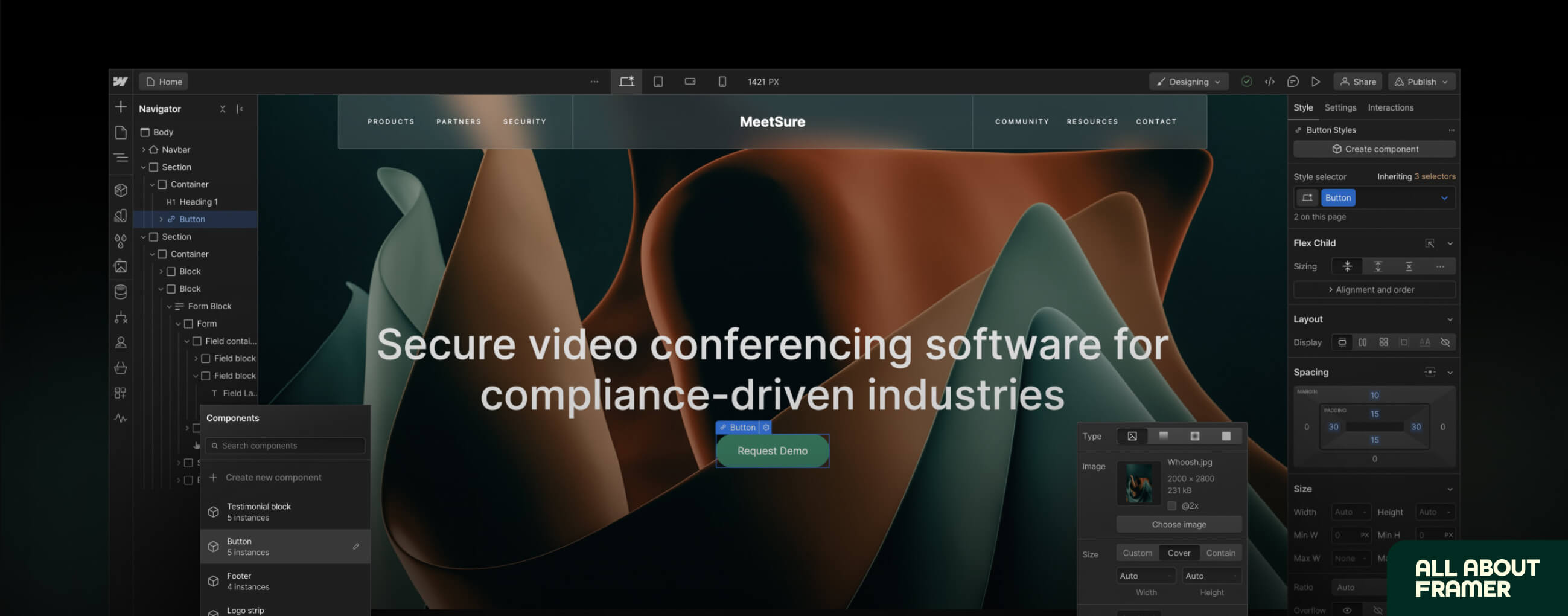
It mirrors how the browser actually renders HTML and CSS.
Margins, padding, flexbox, grid. It's all there, just without having to write the code manually.
More power. More structure. More to learn.
That fundamental difference shapes everything else in this comparison.
Before that, here's a word from our sponsor:
🚨 Why pay $79–$129 for just one template…when you can get 30+ templates for less? Most “premium” templates lock you into one layout, one style, and zero flexibility. With Pentaclay, you get an ever-growing library that gives you freedom to build websites your way—without extra cost. ✨ What’s inside Pentaclay: • 30+ Framer & Figma templates • 5–7 new templates added every month • Unlimited commercial licenses • Lifetime access available • Priority support
Learning Curve
If you already use Figma, Framer will feel like home.
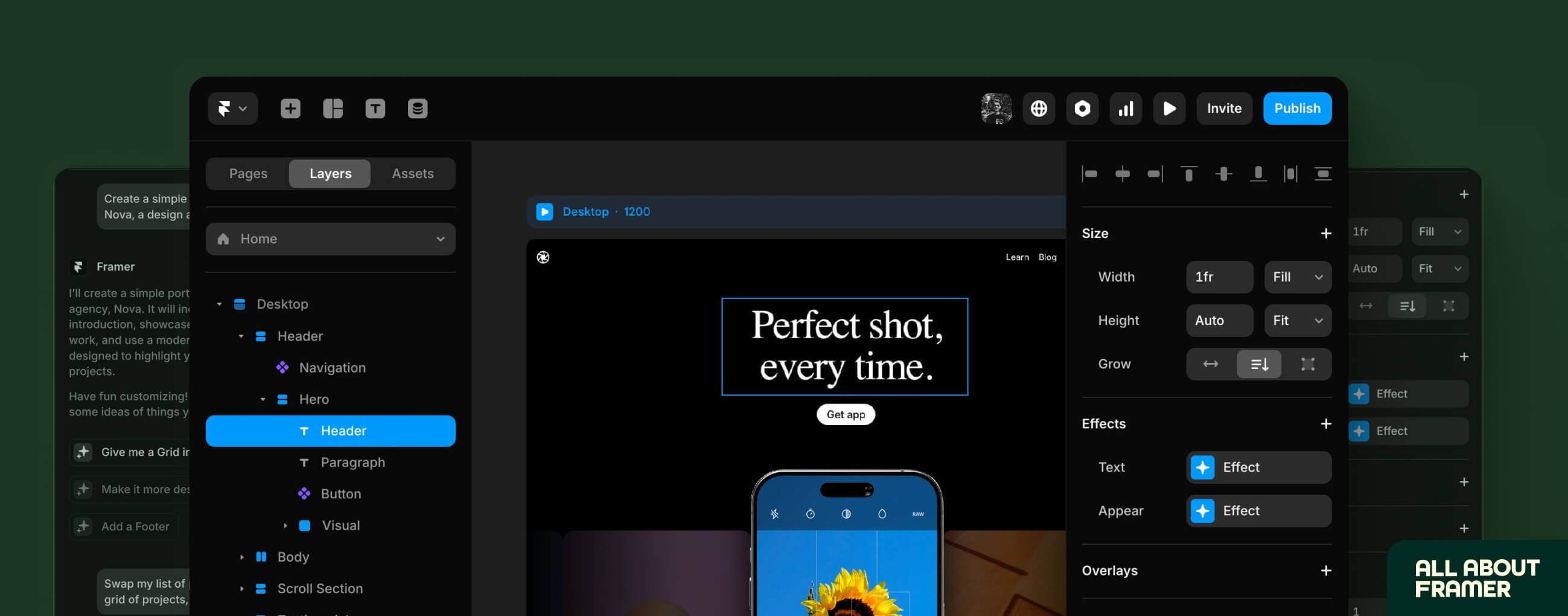
The interface is almost identical.
Frames, auto-layout, components, variants.
Most designers can publish their first Framer site within a few hours of opening it for the first time.
Webflow is a different story.
It mirrors the CSS box model.
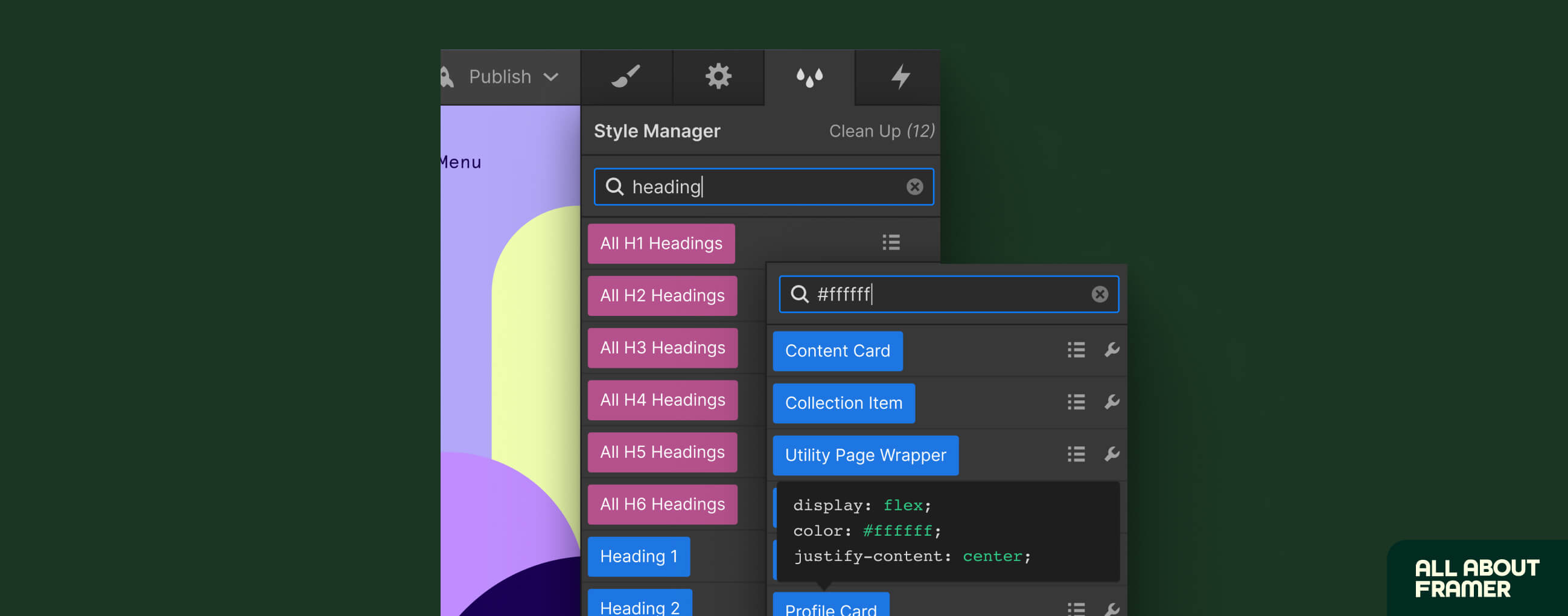
That's genuinely powerful but it means thinking about elements the way a front-end developer does.
Margins vs padding. Div blocks. Classes and combo classes.
If you've never thought about HTML structure, Webflow's learning curve will slow you down.
It took most designers months before they felt comfortable in Webflow.
Framer, most designers get productive in a day or two.
Who wins on learning curve?
Framer. By a significant margin for anyone coming from a design background.
Webflow rewards the investment if you go deep.
But most designers don't want to learn web development.
They want to build great websites.
Framer gets them there faster.
Design Freedom and Animations
This is where Framer genuinely dominates.
Scroll animations.
Hover effects.
Page transitions.
3D transforms.
You add all of these visually, in minutes, directly on the canvas.
No timeline. No custom code. No wrestling with class names.
Framer's animation engine is also AI-assisted now.
Generate motion presets from simple descriptions.
Apply scroll effects across an entire section in seconds.
The output is consistently polished.
Webflow has powerful animations too. It uses GSAP under the hood, which is technically excellent.
And for multi-step, timeline-based sequences with precise keyframe control, Webflow actually gives you more fine-grained control.
But the setup takes significantly longer.
What takes Framer five minutes can take Webflow an hour.
Who wins on design and animation?
Framer, for speed, aesthetics, and ease.
Webflow if you need complex, multi-step animations with precise keyframe timing.
For 90% of marketing sites and portfolios, Framer's animations are better and faster.
CMS and Content Management
Here's where to be honest.
Webflow's CMS is deeper.
It supports more complex content structures.
Multiple content types with rich relationships between them.
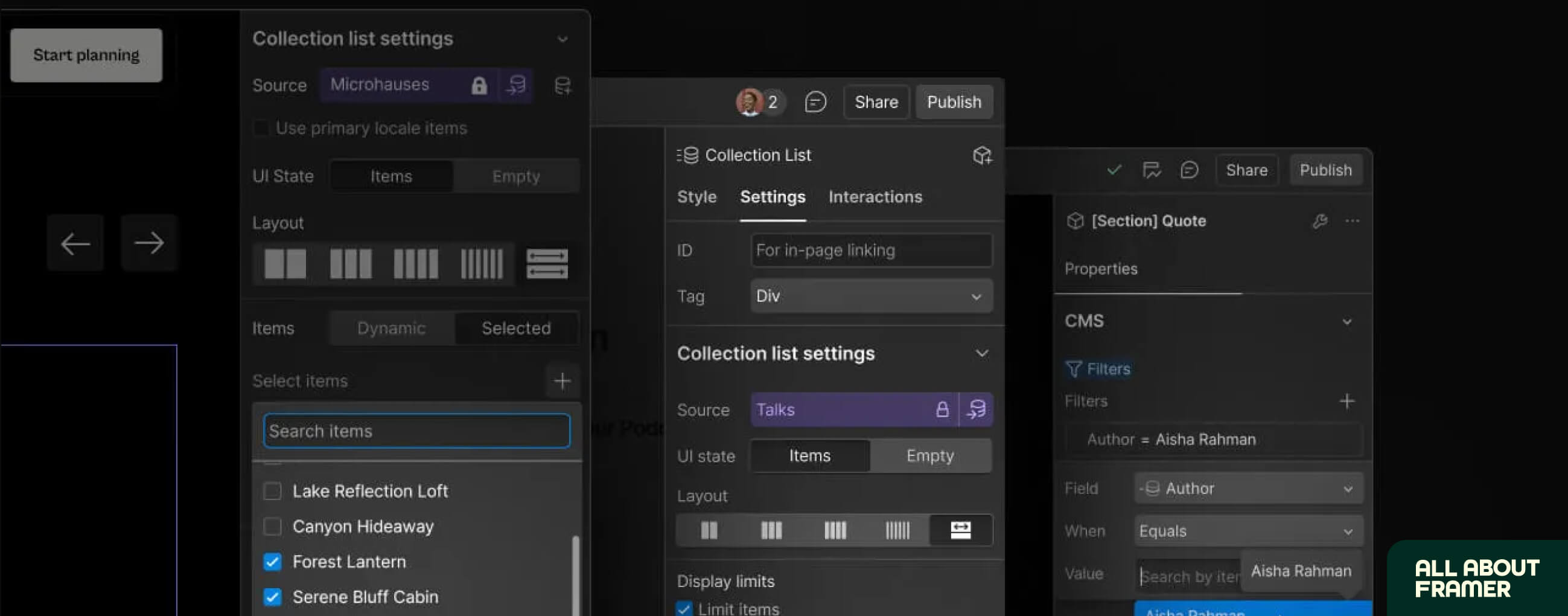
Unlimited collections on higher plans.
Up to 20,000+ CMS items.
Full API access.
Native dynamic filtering that's been mature for years.
Framer's CMS has caught up considerably especially with the launch of Dynamic Filters in early 2026.
For blogs, portfolios, and standard marketing content, Framer's CMS works well.
But if you're managing a directory with thousands of entries, a complex editorial site with multiple authors and content types, or anything that needs genuine CMS depth, Webflow is the stronger platform today.
The gap is closing.
But it hasn't closed yet.
Who wins on CMS?
Webflow — for content-heavy sites with complex structures.
Framer — for most standard marketing sites, blogs, and portfolio content.
If your site is primarily a blog or portfolio with a few CMS collections, Framer is absolutely fine.
Framer vs Webflow Pricing
Let's look at actual numbers.
Framer pricing (per site, annual):
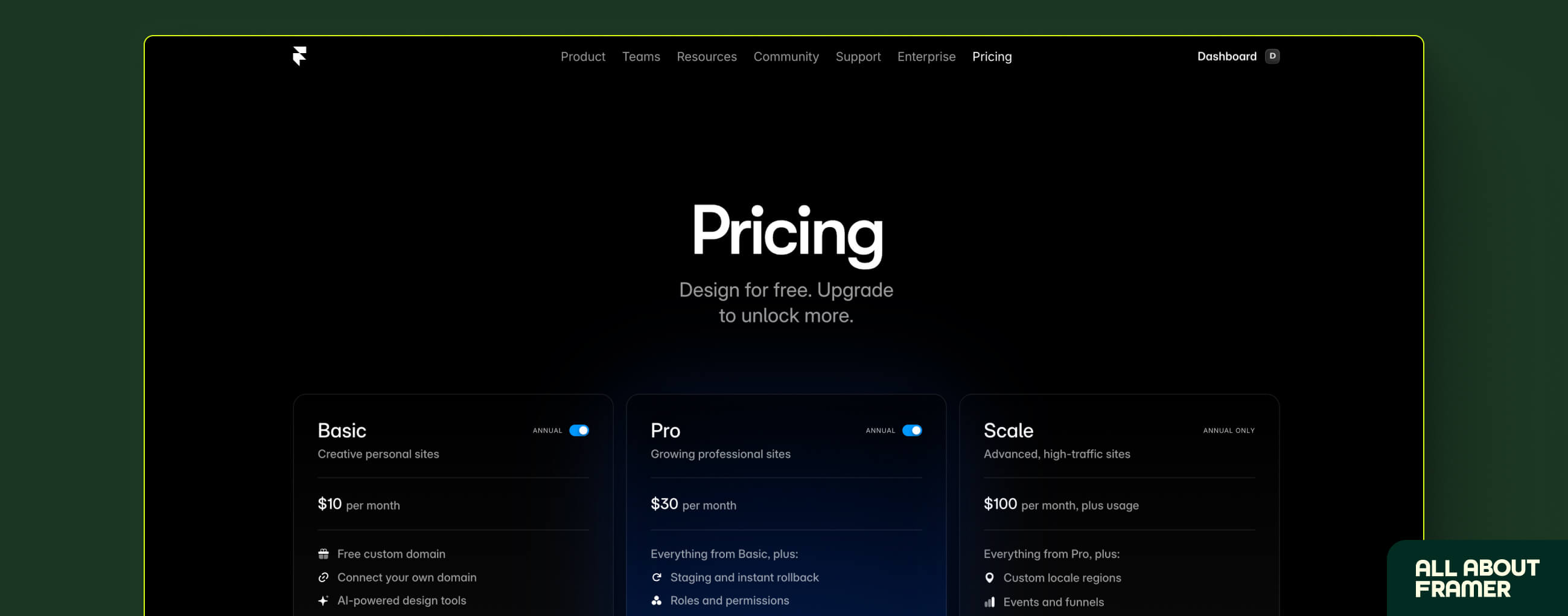
Free — Framer subdomain, basic features
Basic — $10/month
Pro — $30/month
Scale — $100/month
Webflow pricing (annual, per site):
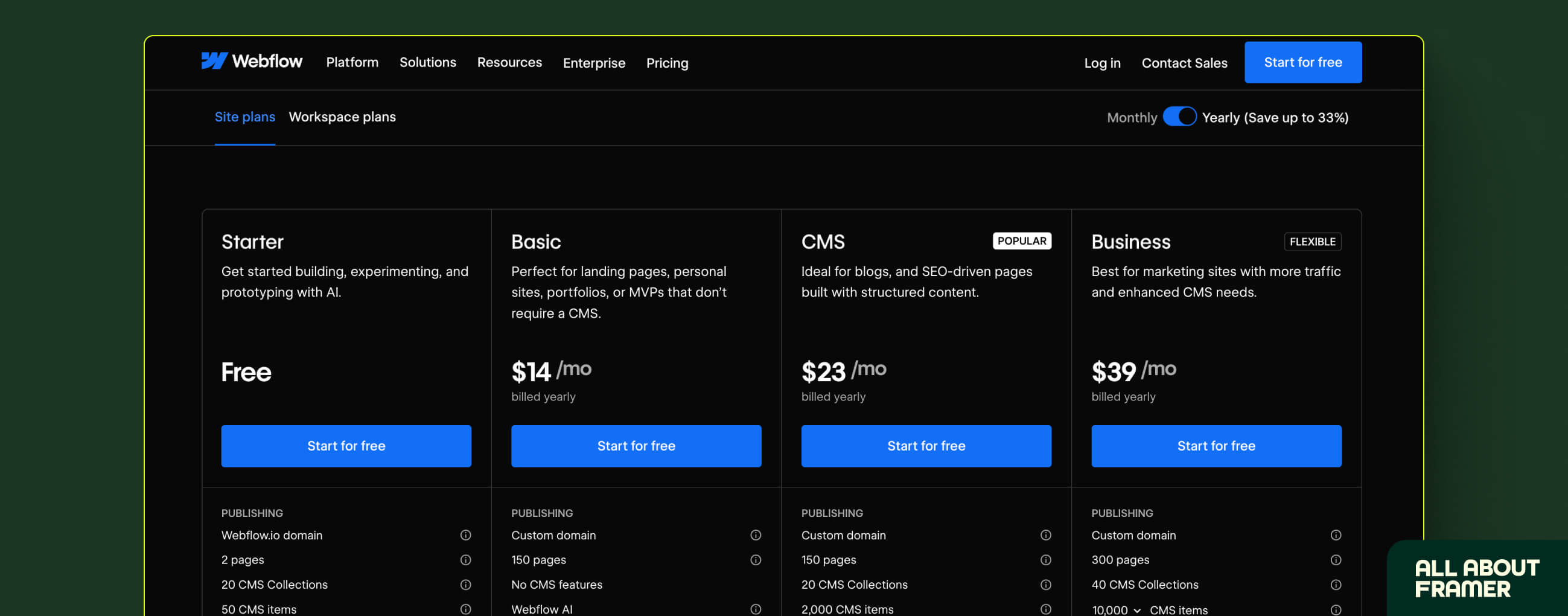
Starter — Free (2 pages only)
Basic — $14/month (no CMS)
CMS — $23/month
Business — $39/month
On the surface, Webflow looks comparable.
But here's the catch.
Webflow charges separately for Workspace plans the moment you add team members or need staging environments.
That adds $19–$40+/month on top of the site plan.
Framer includes editor seats and staging in the plan itself.
For a solo freelancer running client sites:
Five sites on Framer Pro = $150/month.
Five sites on Webflow Business = $195/month — before Workspace costs.
For a team:
Webflow's two-layer pricing model adds up fast.
Framer's bundled approach keeps the bill predictable. However, Framer charges you $20 per editor and if you're using locales, those costs can add up quickly.
Who wins on pricing?
Framer — meaningfully cheaper for most use cases, especially freelancers and small agencies.
Webflow's pricing makes more sense at enterprise scale, editors, locales, and where the feature depth justifies it.
SEO
Both platforms handle the SEO fundamentals well.
Meta titles, meta descriptions, alt text, sitemaps, indexing controls, 301 redirects, both platforms cover these natively.
For most marketing sites, Framer's SEO is completely adequate.
Framer also runs on Vercel's Edge Network, which means genuinely fast load times globally.
Speed is a ranking factor.
Framer sites are fast.
Where Webflow pulls ahead is depth.
Schema markup is more accessible.
Localization (hreflang, multi-language) is native and better supported.
For large-scale content operations with thousands of pages and aggressive SEO targets, Webflow gives you more structural control.
Who wins on SEO?
Draw for most sites.
Framer's performance edge (page speed) actually closes much of the SEO gap with Webflow.
Webflow wins for complex, content-heavy SEO strategies at scale.
E-Commerce
Framer has no native e-commerce.
Full stop.
You can integrate third-party tools.
Shopify Buy Button. LemonSqueezy. Gumroad. Stripe Payment Links.
These work.
But they're workarounds, not a native solution.
Webflow has full built-in e-commerce.
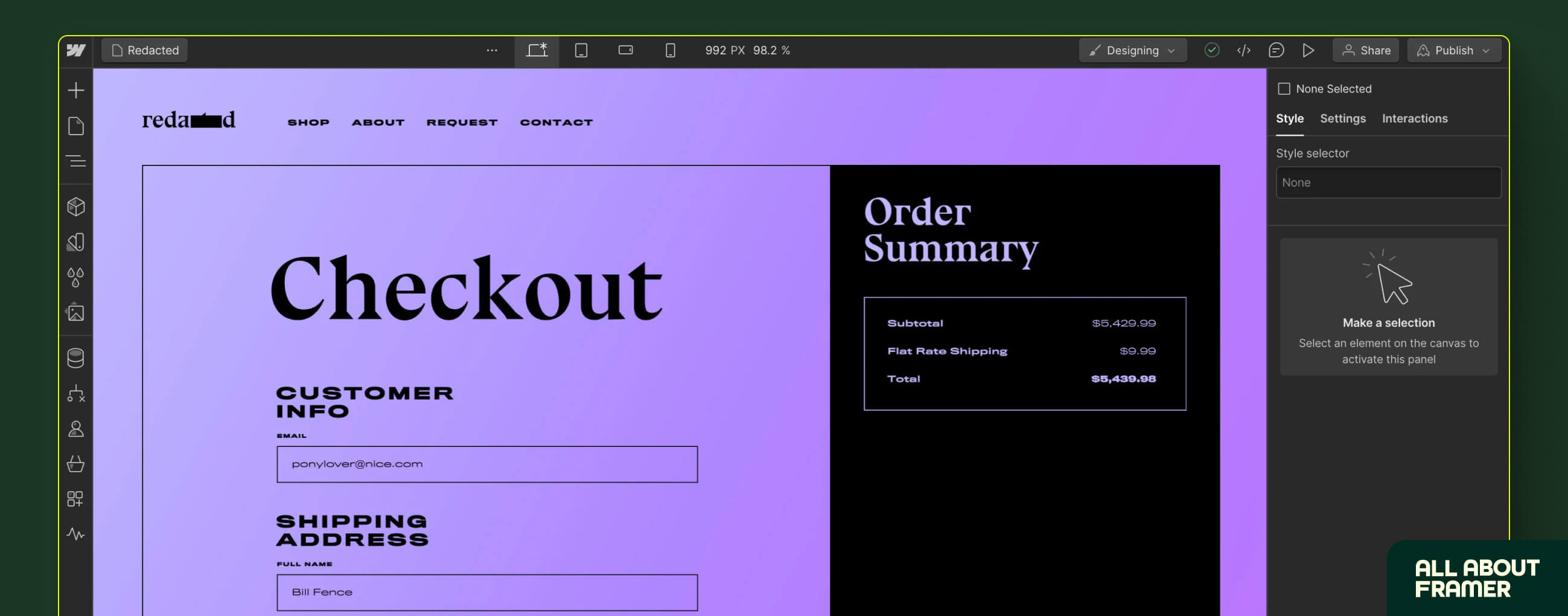
Product management, inventory, cart, checkout, payment processing — all inside the platform.
If selling products online is a core requirement, Webflow is the only real choice between these two.
Who Should Use Framer?
Framer is the right choice if you:
Are a designer who came from Figma.
The transition is nearly frictionless.
You'll be building and shipping in days, not weeks.
Want to build fast and ship polished sites quickly.
Landing pages. Portfolios. Startup marketing sites. Product launches.
Framer gets you from blank canvas to live URL faster than any other tool.
Work with design-forward clients who care about how things look and feel.
Framer sites have a distinct aesthetic quality.
Smooth animations, precise layouts, premium feel.
Clients notice.
Are a freelancer who wants to earn passively.
Framer's Creator Program pays 50% of subscription revenue for 12 months per referred client.
The template marketplace keeps 100% of sales with you.
The passive income opportunity in Framer's ecosystem is genuinely strong.
You can read more about this in our guide to making money with Framer.
Are building for startups, SaaS, or tech companies.
Companies like Miro, Cal.com, and Loops chose Framer.
The design quality speaks to that audience.
In late 2025, Framer actually overtook Webflow in global Google search interest for the first time.
That's not a small signal.
Most designers reading this? Start with Learn Framer in 30 Days first. It's more fun, faster to learn, and will get you to a live, beautiful website quicker than anything else on the market.
Who Should Use Webflow?
Webflow is the better choice if you:
Need a serious CMS.
Multiple content types.
Thousands of entries.
Complex relationships between collections.
Webflow's CMS architecture is built for this.
Framer is not.
Are building something that needs to scale with a large team.
Webflow's structured HTML/CSS output means developers can step into a project and immediately understand the design system.
That matters for teams with mixed design-developer workflows.
Need native e-commerce.
Webflow has it.
Framer doesn't.
Are building for enterprise clients who need SOC 2 compliance and enterprise security.
Webflow has this at the enterprise tier.
Framer is catching up but isn't there yet.
Want to invest in a deeper, developer-adjacent skill.
There are fewer skilled Webflow developers than generic website builders.
Enterprise clients actively look for them.
The learning curve pays off financially at the higher end of the market.
Framer vs Webflow: The Honest Verdict
Here's the plain truth.
For most designers, most projects, most of the time, Framer is the better choice in 2026.
It's faster to learn.
It produces more visually polished results.
The animations are better and easier to create.
The pricing is simpler and cheaper.
The creator ecosystem is thriving.
And it's now genuinely competitive for SEO on marketing sites.
Webflow wins when you need:
A serious content management operation
Native e-commerce with full control
Developer-ready HTML/CSS output
Deep technical SEO at scale
Enterprise-grade compliance
If you're a designer building portfolios, landing pages, startup sites, and marketing pages, Framer is almost certainly the right tool.
If you're building content-heavy sites, complex directories, or online stores, Webflow has a real edge.
Most people reading this?
Start with Framer.
It's more fun, faster to learn, and will get you to a live, beautiful website quicker than anything else on the market.
Frequently Asked Questions: Framer vs Webflow
Is Framer easier to learn than Webflow?
Yes — significantly.
Framer feels like Figma.
Designers can start building immediately.
Webflow mirrors CSS and HTML structure, which has a steeper learning curve, especially for people without development experience.
Is Framer cheaper than Webflow?
In most cases, yes.
Framer's pricing is bundled (design + hosting + editors in one plan).
Webflow charges separately for site plans and workspace plans, which adds up for teams.
For solo freelancers and small agencies, Framer is typically 20–40% cheaper.
Is Webflow better for SEO than Framer?
For large-scale, content-heavy SEO — yes, Webflow gives you more structural control.
For most marketing sites and blogs — Framer's built-in SEO tools are completely adequate, and Framer's fast CDN infrastructure can actually give it a page speed advantage.
Can Framer do e-commerce?
Not natively.
You can integrate Shopify, LemonSqueezy, or Gumroad.
But if e-commerce is a core requirement, Webflow has proper native e-commerce.
Which is better for freelancers — Framer or Webflow?
Framer is more profitable for most freelancers in 2026.
The passive income through the Creator Program (50% affiliate commissions) and the template marketplace (0% cut from Framer) make it a stronger business ecosystem.
Webflow has a larger enterprise client base and can command higher project fees — but the learning investment is greater.
Many experienced freelancers use both strategically.
Framer for fast-turn projects. Webflow when clients need serious CMS depth or e-commerce.
Did Framer overtake Webflow in popularity?
In terms of Google search interest, yes.
In late 2025, Framer surpassed Webflow in worldwide search interest for the first time.
In terms of total sites built, Webflow still leads significantly (720,000+ vs 232,000+ for Framer).
But the trajectory is clear.
Framer is growing fast.
Already using Framer and want to get more from it? Browse all our Framer guides and tutorials — everything from CMS setup to SEO to making money with Framer.