You're building a portfolio. Or a course landing page. Or a case study site.
And you want to show your work with videos.
So you upload them directly to Framer.
Cool. Works great. Videos look gorgeous.
Then you hit your bandwidth limit.
And suddenly you're paying overage fees.
$40 per 100 GB. It compounds fast.
One heavy video = one overage charge. Three heavy videos = three overage charges.
That's the Framer video hosting problem.
There's a solution though.
And it costs $45 a year.
Before that, here's a word from our sponsor:
🚨 Why pay $79–$129 for just one template…when you can get 30+ templates for less? Most “premium” templates lock you into one layout, one style, and zero flexibility. With Pentaclay, you get an ever-growing library that gives you freedom to build websites your way—without extra cost. ✨ What’s inside Pentaclay: • 30+ Framer & Figma templates • 5–7 new templates added every month • Unlimited commercial licenses • Lifetime access available • Priority support
Why Framer's Native Video Hosting Isn't Enough
Let me be clear. Framer's video hosting works fine.
The videos play.
They look good.
The player is clean.
The problem is the bandwidth model.
Framer charges per GB over your plan limit. (Framer does send you a warning message about your bandwidth usage instead of charging you directly)
So every time your site gets traffic and people watch videos, you're burning through your allocation. Fast.
And the overage fees are predictable. Which means they're avoidable. If you don't mind paying them.
But here's the thing. Why pay for something you can avoid?
Why YouTube & Vimeo Aren't the Answer (For Framer)
"Just use YouTube or Vimeo," people say.
And yeah, they work. They're free (mostly). The hosting is bulletproof.
But they don't integrate with Framer cleanly.
YouTube embeds come with suggested videos at the end. You can't turn that off easily. Your viewers finish your video and YouTube recommends some random cooking channel.
You also don't have much control in terms of hiding the UI for the YouTube video.
Vimeo is better, but it's not designed for Framer sites specifically. Plus you're paying $19+/month for their premium features.
I've written more about this before. Check out our full video hosting guide if you want the deep dive.
The point: YouTube and Vimeo solve the hosting problem, but they create new problems (branding, control, cost).
You need something purpose-built for Framer.
Enter Nodstream.
Introducing Nodstream: Built for Framer Designers
Nodstream is a video hosting platform that exists for one reason.
To solve the Framer bandwidth problem.
Here's the pitch:
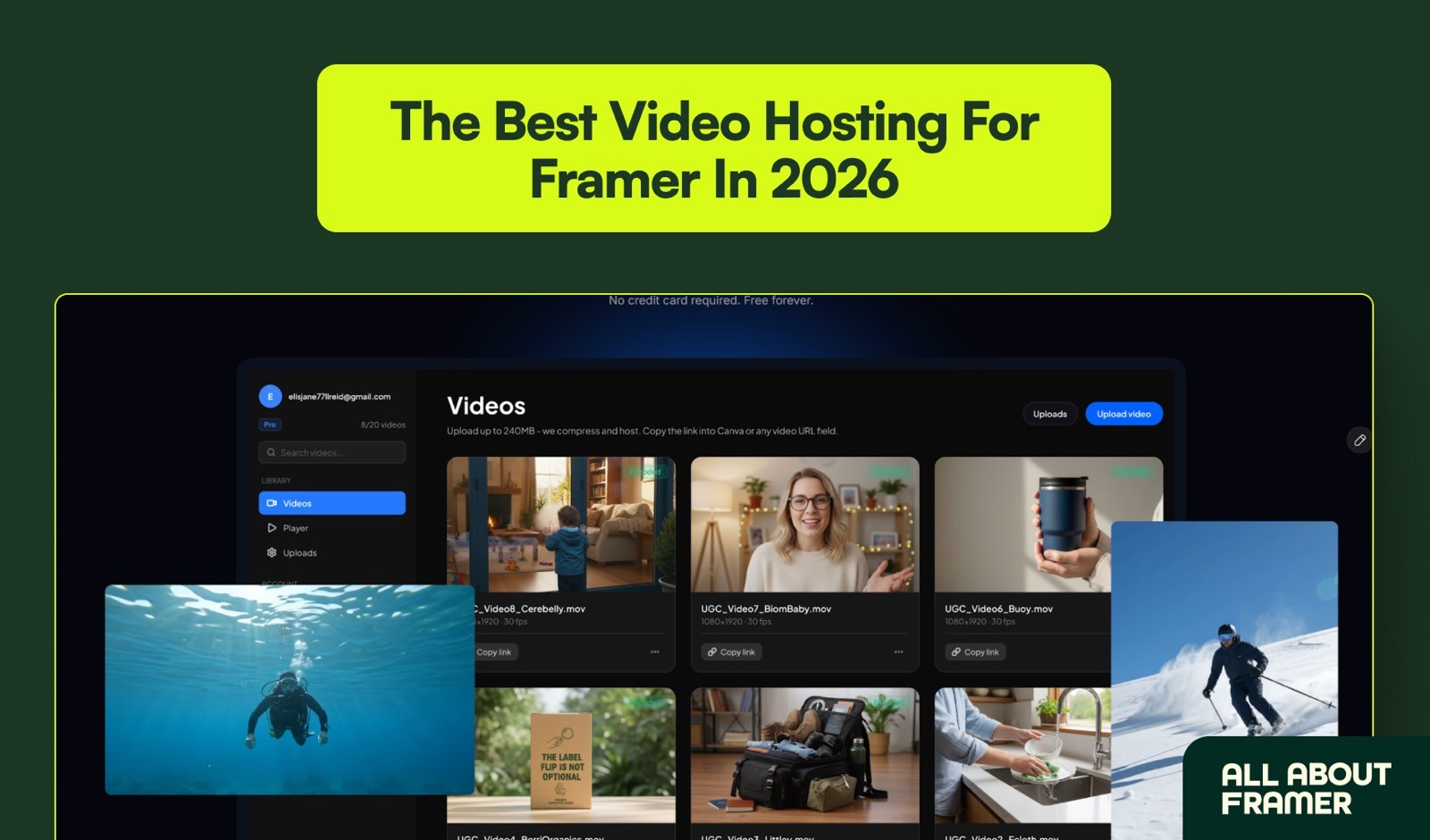
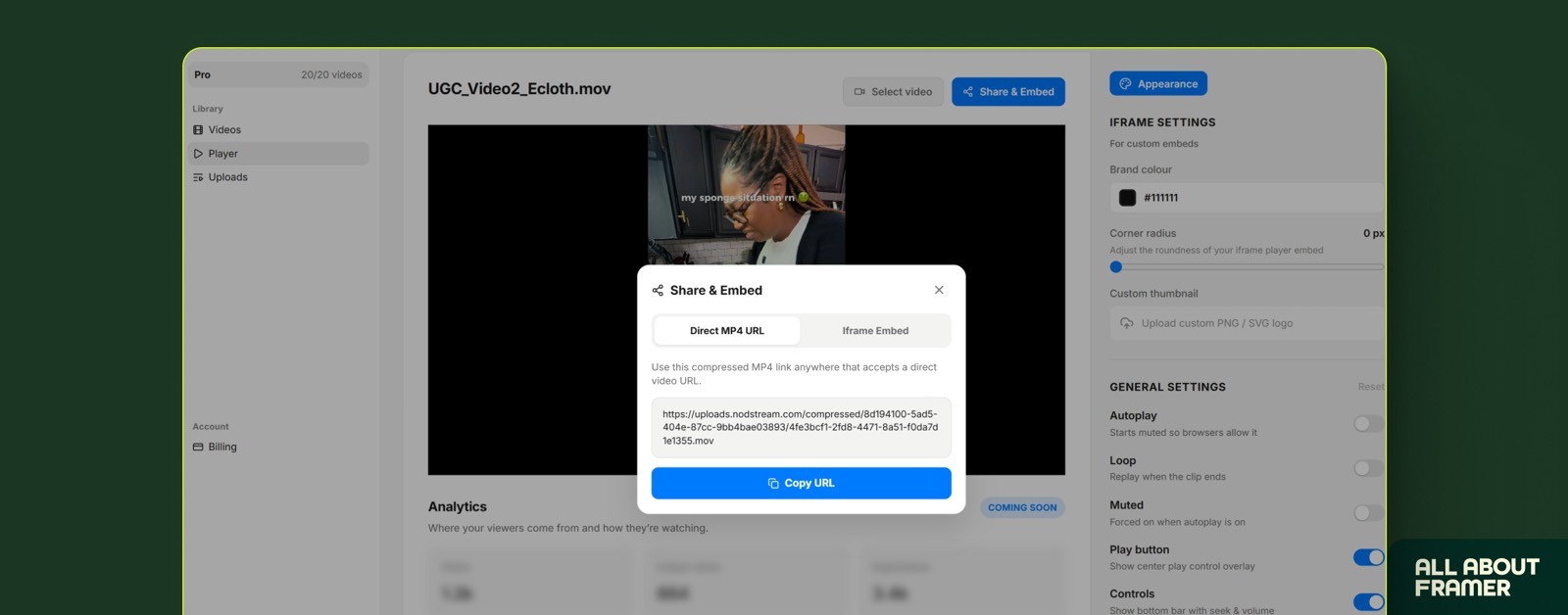
Nodstream compresses it (reduces file size without killing quality)
You copy the direct video link
You paste it into Framer's video player (the standard one)
Magic happens. Video renders fast.
No complicated integrations.
No API keys.
No headaches.
You're basically outsourcing the hosting to a platform that specializes in it.
Nodstream handles the CDN (content delivery network). Framer handles the display. Your bandwidth stays pristine.
And if you want to get fancy, you can embed Nodstream's custom player directly into your Framer site instead of using Framer's native player. More control, same simplicity.
The Features That Actually Matter
Let me break down what you get on the Pro plan for $45/year.
20 videos. Up to 240 MB file size per video. No per-GB charges. No bandwidth limits. Just upload.

Auto-compression. Your videos get compressed automatically without quality loss. Smaller files mean faster loading. Faster loading means better user experience and better SEO.
No watermarks. Nodstream doesn't add their logo to your videos. It's your content. Looks professional.
Custom player (optional). If you use the embedded player instead of Framer's native one, you get branding controls.
Custom colors (match your brand)
Custom thumbnail image
Autoplay toggle
Loop toggle
Mute default
Responsive scaling
Control buttons (play, pause, volume)
Direct link + iframe. Use the direct link in Framer's player. Or embed the full player as an iframe. Your choice.
Future: Analytics. Coming soon, you'll be able to see where your viewers are watching from, how long they watch, where they drop off. That's gold for understanding audience behavior.
All of this for $45/year.
Compare that to Vimeo Pro at $19/month ($228/year) and suddenly Nodstream looks like a steal.
Nodstream vs Framer's Built-In Player: The Breakdown
Let me be honest about when to use which.
Use Framer's native video player if:
You have 1-2 videos
You don't care about bandwidth
You don't need custom branding
Your video is under 50 MB
Use Nodstream if:
You're uploading multiple videos (3+)
You want to control bandwidth usage
You want a branded video player
You want to upload a higher file size video (more than 50 MB, with a 240 MB maximum limit)
The smart way to use both:
Upload videos to Nodstream.
Copy the direct link.
Paste into Framer's native player.
Why?
You get the best of both worlds. Framer's clean, minimal player design. Nodstream's bandwidth optimization. Zero overage fees. No quality loss.
It's the perfect middle ground.
The Real Math: How Much You Actually Save
Let's talk numbers because they're what matter.
Say you're on Framer Pro ($30/month). You get 100 GB of bandwidth.
You upload three 500 MB videos. Total: 1.5 GB.
That's fine. You're still under 100 GB.
But then your site gets 10,000 monthly visitors. Each watches one video. That's 10,000 × 500 MB = 5 TB of video downloads.
You're over your limit. Way over.
Framer charges $40 per 100 GB over. You owe roughly $1,920 that month.
$1,920.
For one month of video traffic.
Now flip the scenario.
Even though Framer will not charge you immediately, they would give a warning. But if this were to repeat for the subsequent months, then you can expect that charge.
Same setup. But your videos are hosted on Nodstream.
Your 3 videos consume maybe 200 MB on Nodstream (after compression).
Framer sees zero video bandwidth from those videos.
Your 10,000 visitors watch the videos, but the bandwidth burn is on Nodstream's CDN, not Framer's.
You pay Nodstream $45 for the entire year.
That month, you owe: $0 in overages.
The difference? $1,920.
That's the real math.
And yes, this is an extreme example. But it's not unrealistic if you're running a course site, portfolio, or video-heavy landing page.
Most Framer sites doing video don't realize they're one viral video away from a bandwidth bill.
Nodstream eliminates that risk entirely.
FAQs
What's the difference between the free and Pro plans?
Free plan: 1 video, limited features. Pro plan: 20 videos, unlimited file size per video, no watermarks, full player customization, $45/year.
Does Nodstream compress the video quality?
Yes, but smartly. The compression is optimized to reduce file size without noticeable quality loss. You're getting the same visual quality with a smaller file size.
Test it yourself. Upload a video and compare.
What if I need more than 20 videos?
Nodstream will likely add higher tiers if demand grows. For now, 20 videos covers most use cases.
If you genuinely need 50+ videos, you might want to revisit YouTube or Vimeo. But honestly, most Framer sites don't.
Will Nodstream add analytics?
Yes. They're working on it. Soon you'll see viewer location, watch time, drop-off points — all the stuff that helps you understand how people engage with your videos.
That's a huge feature that'll make Nodstream even more valuable.
Can I use Nodstream videos in Framer's CMS?
Yes. If you're building a blog or course in Framer CMS with videos, you can use Nodstream links in your CMS items. Just drop the direct link in your CMS field and it'll pull the video.
For more on Framer CMS, see our complete CMS guide.
Do I need to know how to code to use Nodstream?
No. It's fully no-code. Upload, copy link, paste in Framer. Done.
Try Nodstream Today
If you're building a serious Framer site with videos, Nodstream is the tool to use in 2026.
$45/year is nothing compared to the bandwidth overages you'll avoid or the branding control you'll gain.
And if you don't like it? You're out $45. Risk is minimal.
But I think you'll keep it.
Try Nodstream here and see the difference.